Paracosm Studio Fantasy map generator

Start with the geography

A fantasy map is the beginning of a world.

Paracosm Studio is a browser-based fantasy map generator and worldbuilding workspace. Generate a planet with coastlines, elevation, rivers, climates and biomes, then shape the places and stories that belong there.

Alpha v1.0 · Create and edit on desktop · View saved work on mobile

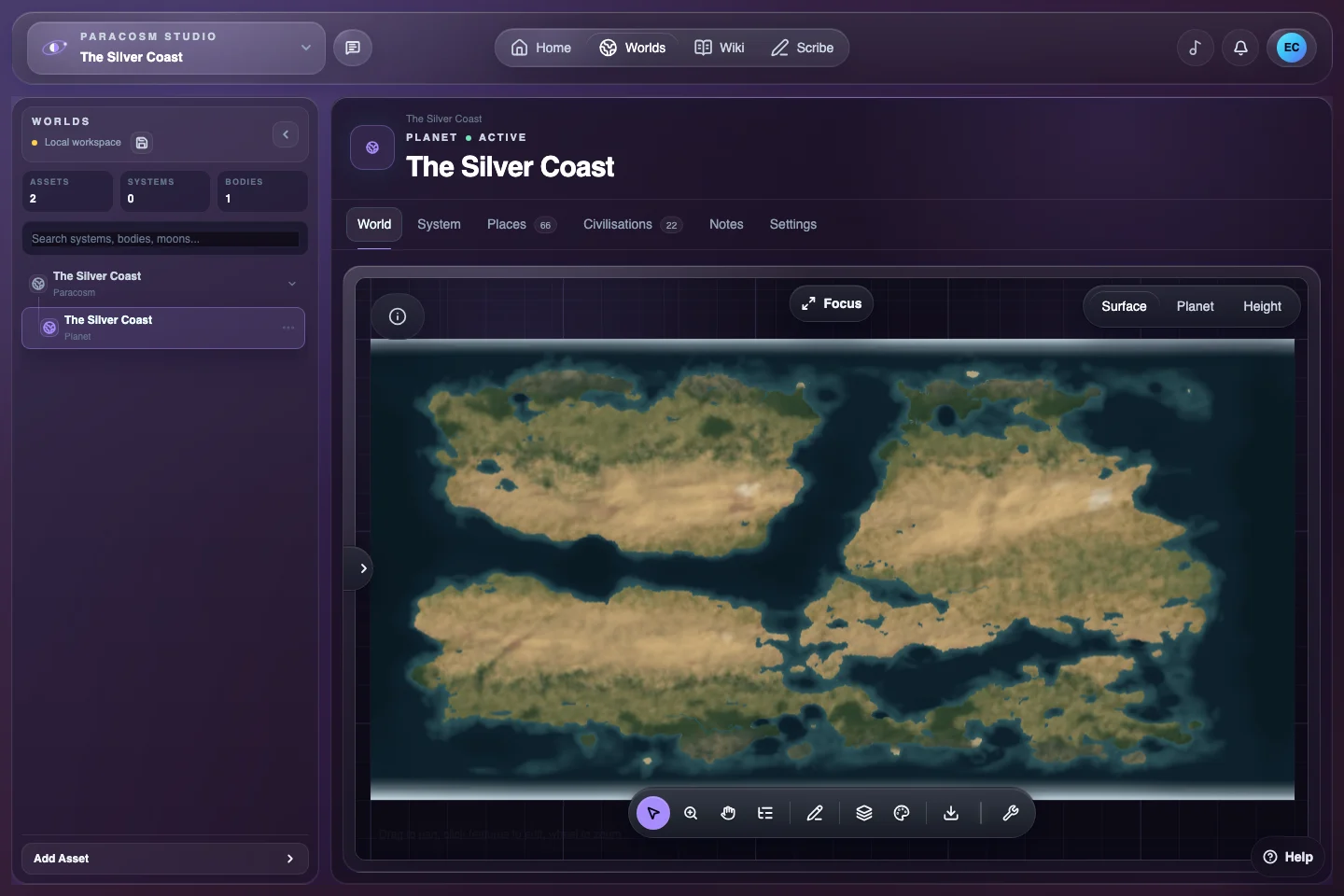
A generated planet map open in Paracosm Studio, with the world asset tree and map controls around it.
Worlds keeps the map, its planet and the surrounding setting in the same workspace.

Generate a starting point you can develop

The guided first-world setup asks about your landscape, population and other starting choices. Review the preview, generate the world, then open its Surface map in Worlds. For later planets, the Create Planet dialog offers a more detailed generation flow.

Generation supplies a starting geography. It does not decide what your setting means. Choose the coast, valley or border that interests you and develop that area before attempting to detail every continent.

Read the landscape before changing it

Use Height, Biome and climate views to understand the world beneath the presentation. Compare a mountain range with the surrounding terrain, trace a river towards the sea, and consider which routes a traveller could take.

Clean Map gives you a simple overview; Natural Atlas emphasises terrain. Both are available as Free basics. A style change alters how the map looks, so try the presentation controls before rebuilding geography that already works.

Connect a map location to its lore

Open Places or Civilisations to develop the settlements, states and cultures associated with the world. Create a linked Wiki page when you want to explain a place’s history, politics or secrets, then use it as a reference while writing in Scribe.

For example, a settlement beside a river crossing suggests a useful question: who controls passage? Record the answer in the Wiki, then draft a scene in which someone has a reason to cross. The map becomes a source of decisions for your story.

Choose the right export

Map image exports produce a PNG for viewing or presentation. An editable World file preserves the map document as JSON for compatible restoration and continued editing. Keep a World file milestone before major experiments.

A map export is not a backup of the entire Paracosm. Your Wiki, writing projects and separately stored artwork may require their own exports or saved assets. Check save and sync status before changing devices.

Put it into practice

Your first useful map session

  1. Generate one world

    Create a Paracosm, choose the guided first world and review the landscape before generation.

  2. Inspect one region

    Open Surface, compare terrain and biome views, then select a place worth developing.

  3. Give it a reason to matter

    Write a short Wiki entry and test the location in a Scribe scene or campaign note.

Before you begin

Common questions

More detail in the Help Centre and device requirements.

Is the fantasy map generator free?

Paracosm Studio has a Free plan with limits for a small setting. Clean Map and Natural Atlas are Free basics. Paid plans add capacity and premium customisation, including custom map fonts, colours and imports. Check the Plans page for the current allowances.

Does it use an AI prompt to generate maps?

The current terrain generator uses procedural algorithms running in your browser. It does not send a world-generation prompt to an external AI model. Generated results can be similar; generation does not guarantee unique output.

Can I create maps on my phone?

Creation and editing require a desktop-sized browser. Compact screens provide a view-only reader for saved Worlds, Wiki and Scribe content. You can create an account on mobile and continue building on a computer.

How quickly will a world generate?

Generation runs on your device, so the time and comfortable world size depend on your processor, available memory and chosen settings. Start with the defaults. There is no published benchmarked minimum specification or guaranteed generation time.

Start with one idea.

Create your account, then build your first setting on desktop.

Create your Paracosm